Home › Assistants
One knowledge base, many assistants
Each assistant knows only what it should
Administrators create as many assistants as they need from the screen, each with its own knowledge scope, access rights and answer style.
Example setup
One knowledge base, many assistants
Adapt this to your own structure. The public service assistant cannot see internal documents because its knowledge scope is limited at the assistant level.
| Assistant | Users | Knowledge it can see | Answer style |
|---|---|---|---|
| HR | All employees | HR regulations, benefits, employee handbook | Short, step by step |
| Legal | Legal officers, auditors | Laws, regulations, contracts, circulars | Detailed, cites clauses and sections |
| Operations | Field staff | Operating manuals, forms | Step by step, with images |
| Public service | External users | Publishable documents only | Plain, polite language |
Settings per assistant
1
Persona and toneInstructions, language, answer depth
2
Knowledge scopeWhich document categories it may search
3
AccessWhich user groups can see it
4
Search methodGeneral, legal, or let the system choose
5
Language modelA different model per assistant if needed
6
Conversation memoryHow many turns it remembers
Departments kept apart
- Each department's knowledge base lives in its own database
- Install once, serve many departments
- Add a new department from the screen
Change without disrupting users
- Assistant versions kept, with rollback
- Switch an assistant on or off instantly
- Interface in Thai and English
Administrator screens
Configure assistants and see the overview in one place
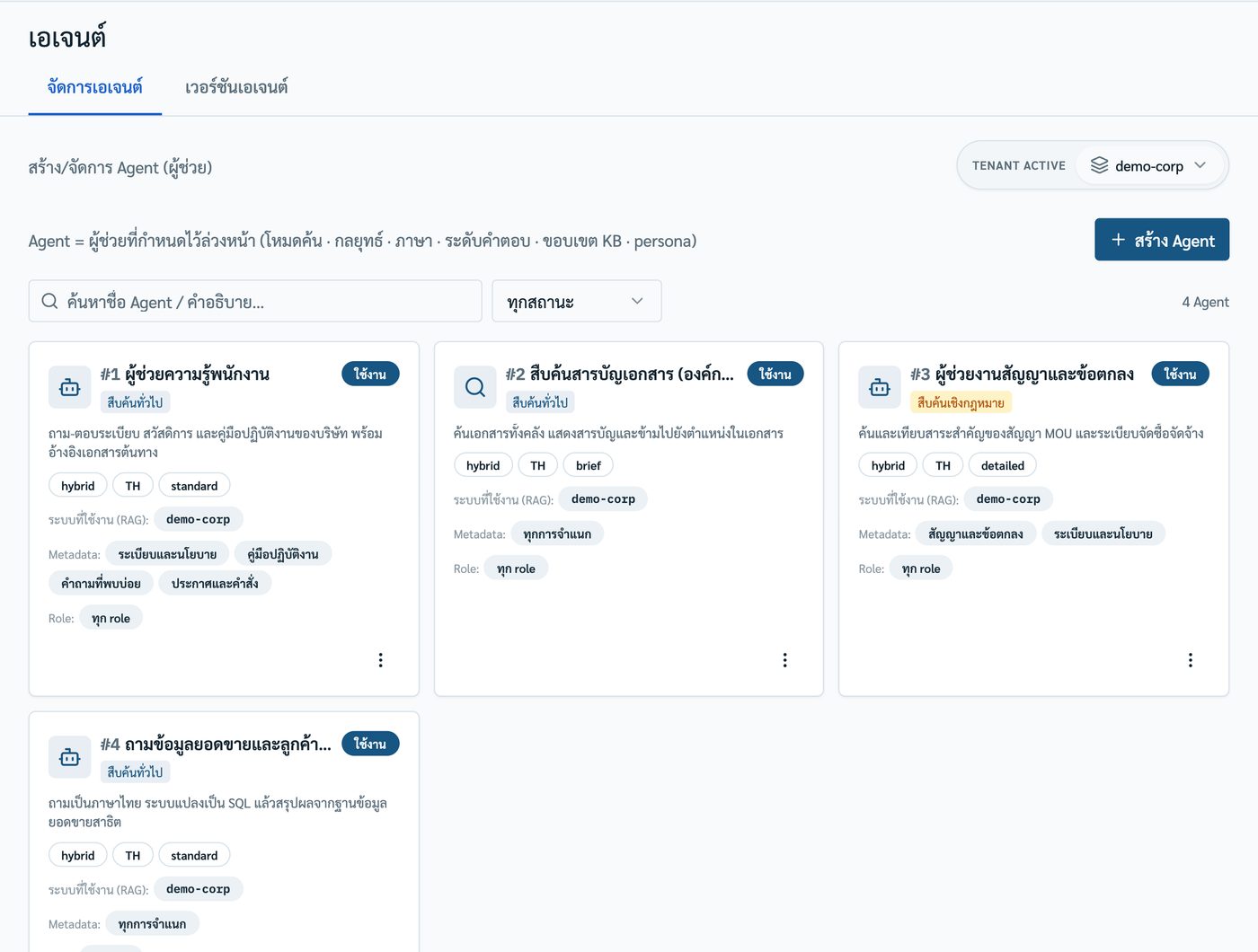
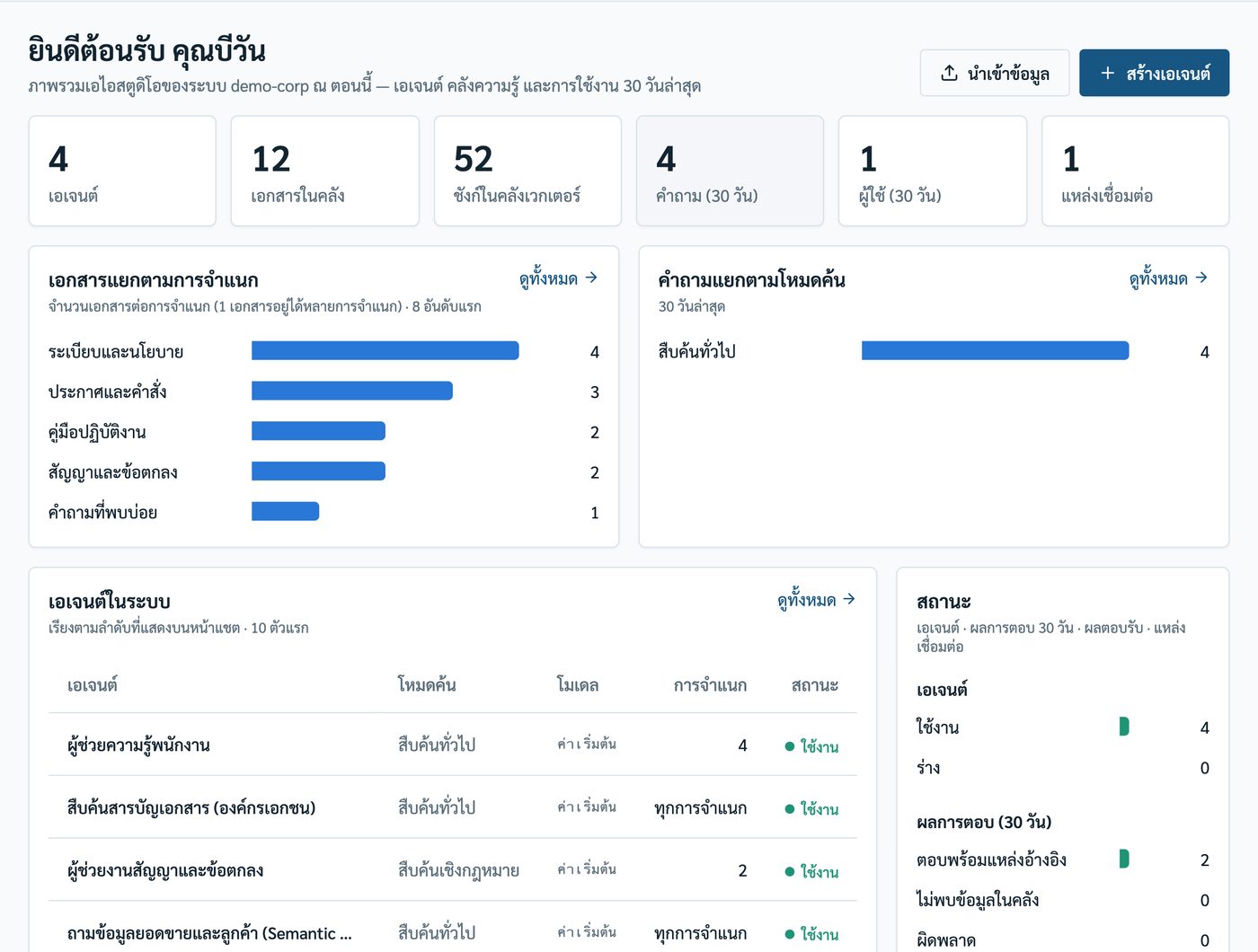
Build assistants on screenNo programming, switch on or off instantly
Overview on the home pageDocuments by category, assistants, recent answer results
Two-language menusSwitch between Thai and English at the top right
See it working on your own documents
Start with a live demo on the real system, then run a trial with documents your organization can share.