Home › Platform
The platform, five stages
Every stage from document to answer in one system
Ingestion, knowledge base, assistants, channels, and governance share one set of permissions and one log.
Ingest and knowledge baseStages 1–2
Every kind of document becomes searchable text
- 1
Receive files
Upload one by one, in batches, or pull from source systems on a schedule - 2
Read content
Read document images, transcribe audio, read text on video frames - 3
Check text
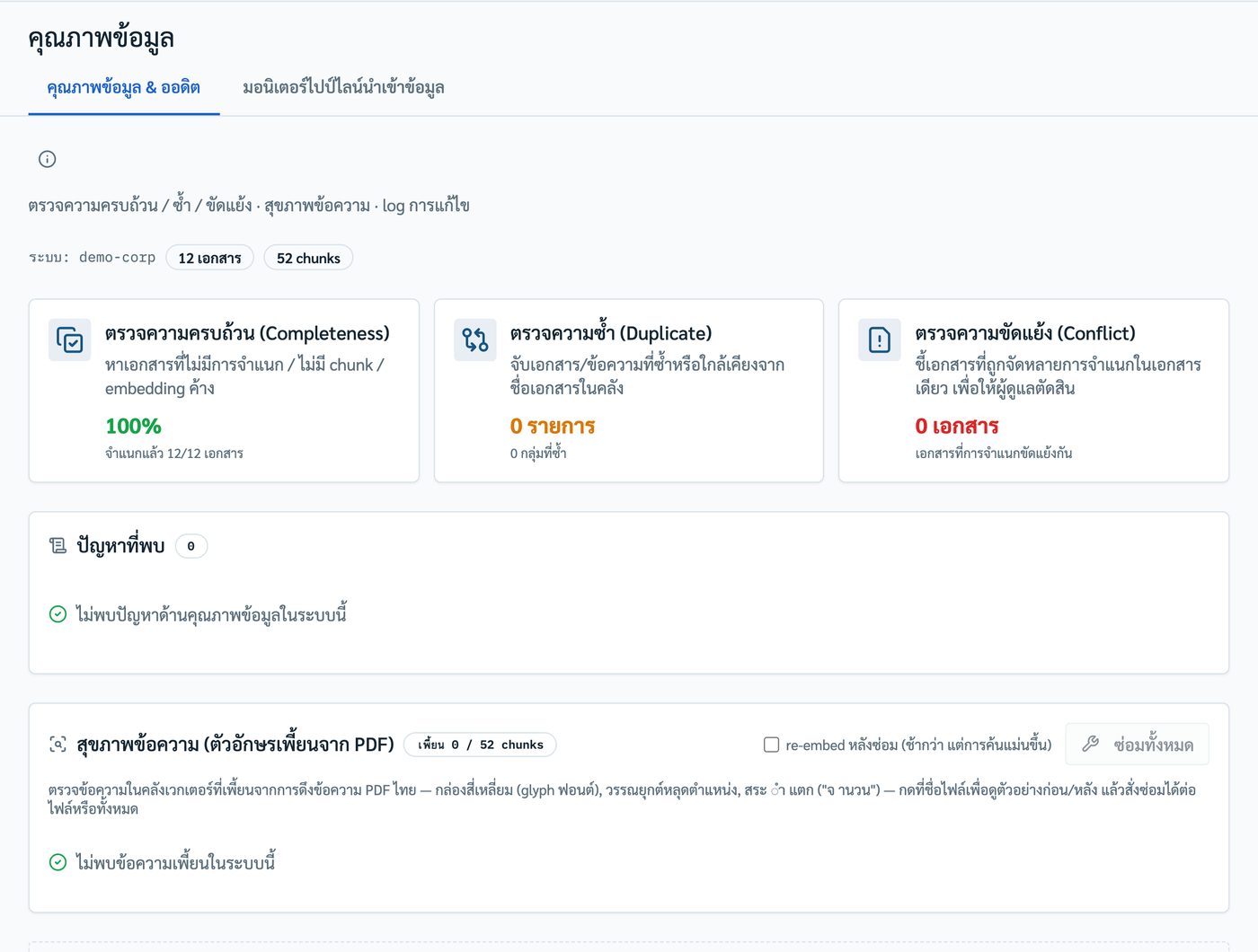
Repair Thai vowels and tone marks garbled in the source file - 4
Chunk and classify
Split along document structure, tag with several categories - 5
Ready to search
Build a semantic index, with the original always one click away
File types accepted
Audio and videoSearch results jump to the second where the topic is mentioned
Data sourcesTest each connection from the screen
- Relational and document databases
- Web services and web page crawling
- File shares and file transfer
- Scheduled jobs running in the background with status
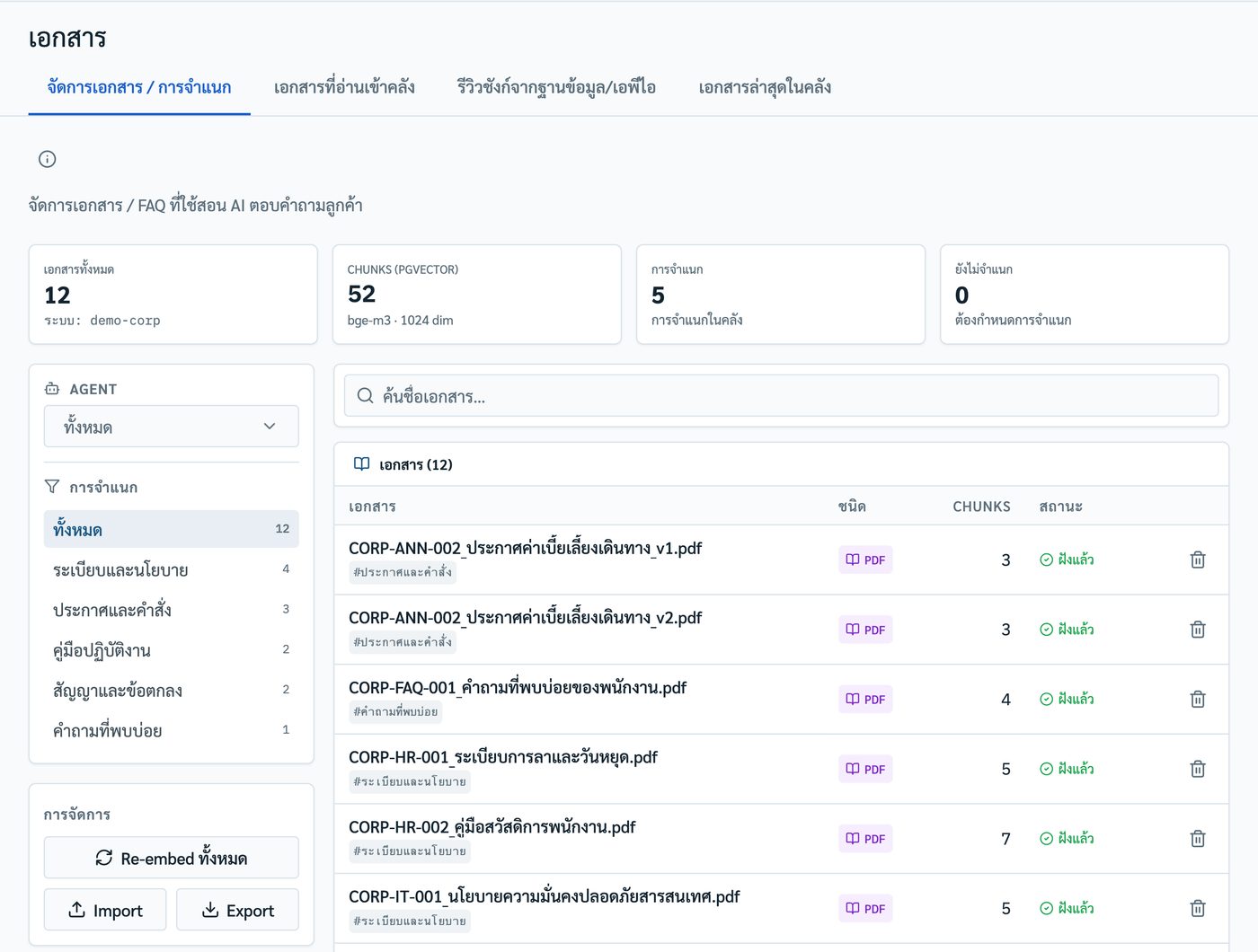
Knowledge base qualityManagers can see and fix it themselves
- Text health screen with before and after views
- Inspect each stored chunk
- Set effective and expiry dates per document, filtered automatically at search time
- Create a new department knowledge base from the screen
Search and answerStage 3
Ask in plain language, get answers with evidence
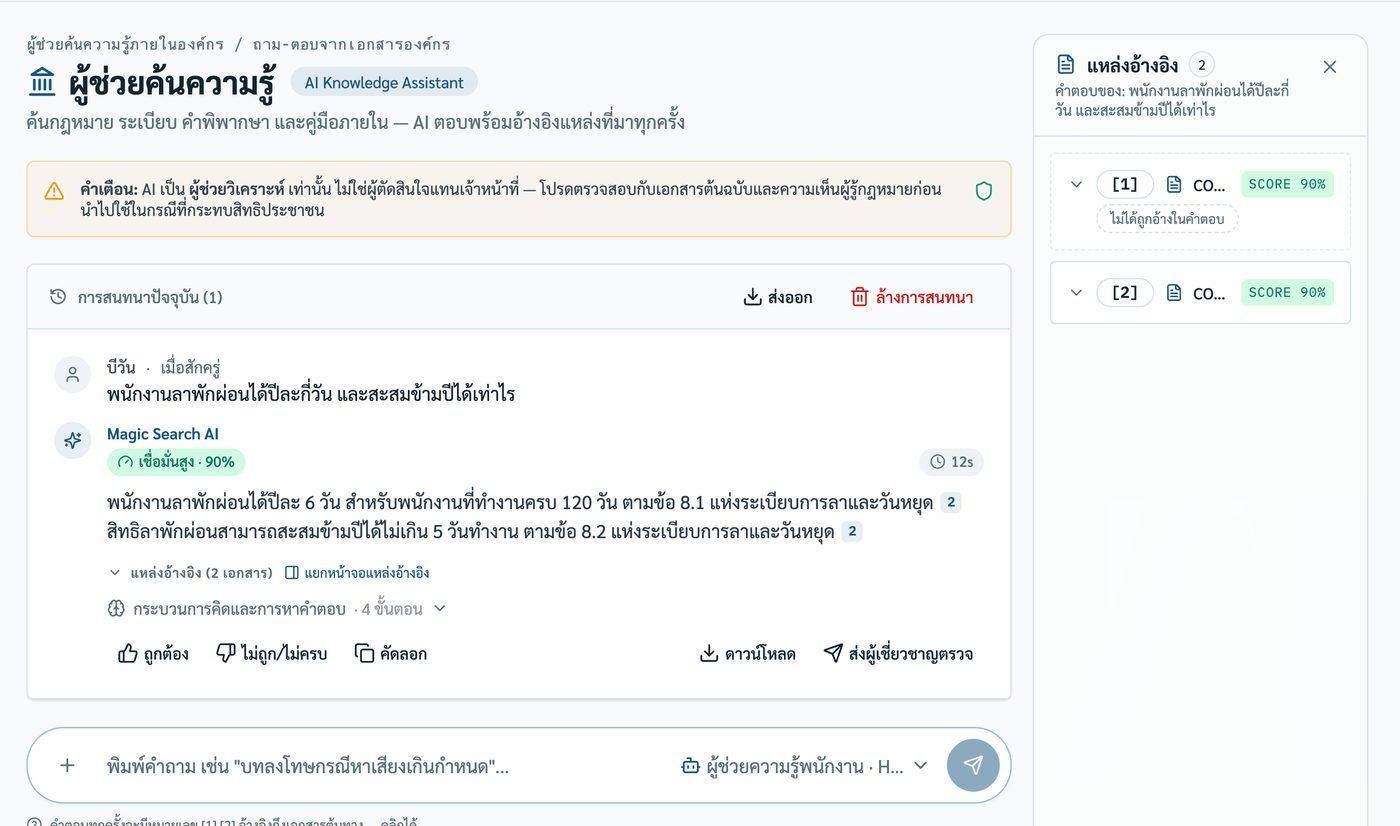
- Click a citation number to open the original document at that page, with the search terms highlighted
- Ask follow-up questions; the assistant remembers the conversation
- Rate an answer or send it to an expert for review from the same screen
How it answers
Every answer citedDocument name and page used for the answer
Says "not found" when it isn't thereWithout a supporting document, the model is not asked to write an answer
Flags low confidenceLow-confidence answers are routed to an administrator for review
Reading tools
ChannelsStage 4
Answers when it can, hands over to people when it should
- 1
A citizen asks
On the website or a messaging app - 2
The assistant answers
From publishable documents, with citations - 3
Hand-off to staff
When no answer is found, or the person asks for a human - 4
Staff take over
With the full conversation, and a draft reply from the assistant
Channels
- Website assistant embedded with a few lines of code
- Popular messaging apps through the organization's official account
- Internal chat page for staff
- Programmatic access for other systems, using service keys
Cases by type
- Sorts questions, suggestions and complaints automatically
- Define what happens for each case type
- Notify your downstream systems when a case arrives
- Log waiting time and who handled the case
Staff console
- Queue of handed-off cases, assignable to an owner
- Conversation history and the documents the assistant cited
- Assistant drafts the reply, staff edit and send
- Reports on resolution and hand-off rates
Govern and measureStage 5
Answer quality you can measure and improve
- 1
Log every question
Question, answer, cited documents, response time and the assistant that answered, stored server-side - 2
People rate
Users give a thumbs up or down; experts review flagged and low-confidence answers - 3
Reports show weak spots
Unanswered questions, frequent topics, resolution and hand-off rates - 4
Improve and re-test
Add documents or tune the assistant, then re-run a question set with expected answers
Reports included
- Usage per assistant and per user
- Conversations and user ratings
- Executive overview
- Question topics and intent
Policies and controls
- Answer policy and off-limits topics
- Detection of unusual usage
- Model usage quotas
- Chat history retention period
Limits we state up front
- No report yet on token volume or model cost
- The model may cite the wrong document name even when the content is right
- Score targets are best set together after the trial
Add-on
Not just documents, ask about numbers too
For organizations with databases that executives want to query themselves
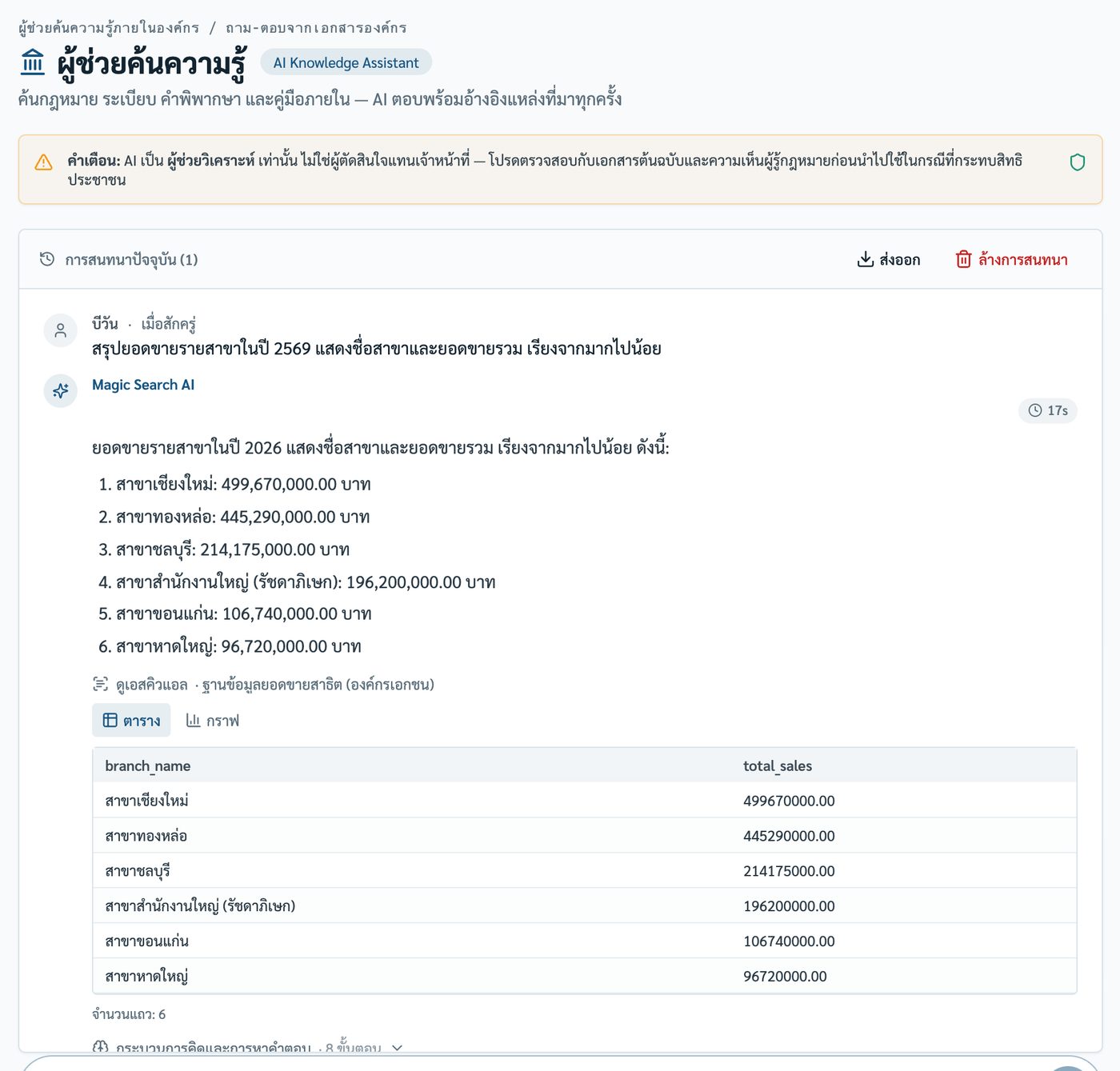
Ask for figures in plain language
- Administrators set the allowed tables per connection
- The system helps draft a data dictionary from the table structure, without reading row data
- Get an answer, a table, a chart and the query the system generated
Dashboards and reports
- Build dashboards from the screen
- Ready-made assistant usage reports
- Export data for further use
Good to know first
- Check that your database type is supported
- Accuracy depends on the quality of the data dictionary
- Databases with many tables are best opened a set at a time
See it working on your own documents
Start with a live demo on the real system, then run a trial with documents your organization can share.